

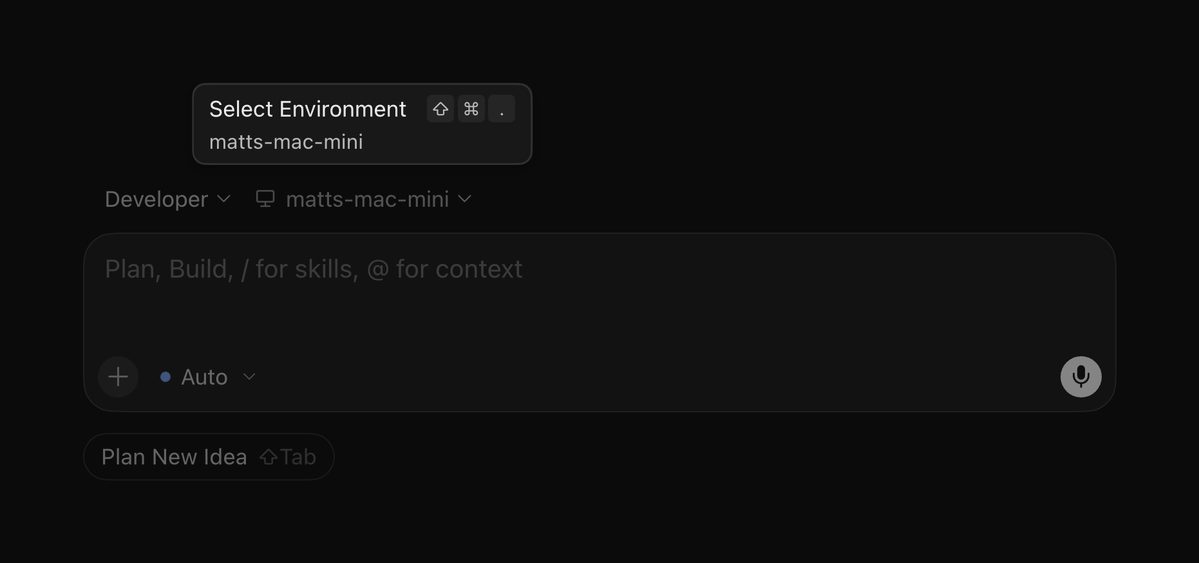
Cursor engineer @mattyp shows a Mac Mini becoming a Cloud Agent worker via agent worker start; --computer-use enables remote click/type/screenshot through Cursor Computer Use. Official Self-Hosted Machines keep inference in Cursor cloud and tool execution on your hardware over outbound HTTPS (My Machines + Team Pools).
Key Takeaways
- ✓Product path: Self-Hosted Machines blog + docs — tools on your hardware, loop in Cursor cloud
- ✓Personal quickstart (My Machines): install CLI →
agent login→agent worker start(outbound HTTPS only) - ✓Desktop control:
agent worker --computer-use start; grant Accessibility + Screen Recording to Cursor Computer Use on macOS - ✓Scale: 200 workers/user, 1000/team; Team Pools need Enterprise + service-account API key
- ✓Verify with
agent worker debug+ screenshot task; route viaworker=from Slack/GitHub/Linear
🧭
Finished reading? Explore benchmark rankings & pricing
Real-world SWE-bench scores & $20/mo vs API cost break-even calculator
🔗
Direct access to official project resources and documentationProject Links & Resources
Direct Access📝
↗ Run cloud agents on machines you manage (Cursor Blog)
cursor.com/blog/self-hosted-machines
📖
↗ Self-Hosted Machines docs
cursor.com/docs/cloud-agent/self-hosted
📖
↗ My Machines quickstart
cursor.com/docs/cloud-agent/self-hosted/my-machines
📖
↗ Computer use and desktop sharing
cursor.com/docs/cloud-agent/self-hosted/computer-use
📖
↗ Self-Hosted Machines help FAQ
cursor.com/help/ai-features/self-hosted-machines
🌐
↗ cursor.com/agents
cursor.com/agents
🔬
In-Depth Technical Analysis
Core background
Managed Cloud Agents run in Cursor-hosted VMs. Teams that need private SCM, custom GPU/Mac (iOS), or existing build pipelines can move tool execution onto hardware they own via Self-Hosted Machines — while inference/planning stay in Cursor's cloud. Cursor engineer @mattyp highlighted the personal path: one CLI line turns a Mac Mini into a remote worker, optionally with Computer Use.
Architecture
agent worker start opens a long-lived outbound HTTPS session to api2.cursor.sh (no inbound ports). My Machines for personal boxes; Team Pools (Enterprise + service-account key) for fleets. --computer-use installs the macOS helper Cursor Computer Use on first start (or X11/TigerVNC on Linux). Caps: 200 workers/user, 1000/team. Docs: self-hosted overview, My Machines, Computer use. Blog: Run cloud agents on machines you manage (2026-09-02).Benchmarks
No official Terminal-Bench / SWE-Bench (or latency) numbers for this product path. Validate with
agent worker debug plus a real screenshot/click task after granting Accessibility + Screen Recording to Cursor Computer Use.Developer guide
Install CLI →
agent login → agent worker --computer-use --name "mac-mini" start. Keep a signed-in GUI session awake. Pick the machine at cursor.com/agents; route via worker= from Slack/GitHub/Linear.
Discussion & Comments
0Sign in to join the discussion
Connect with AI developers to exchange benchmark insights.