
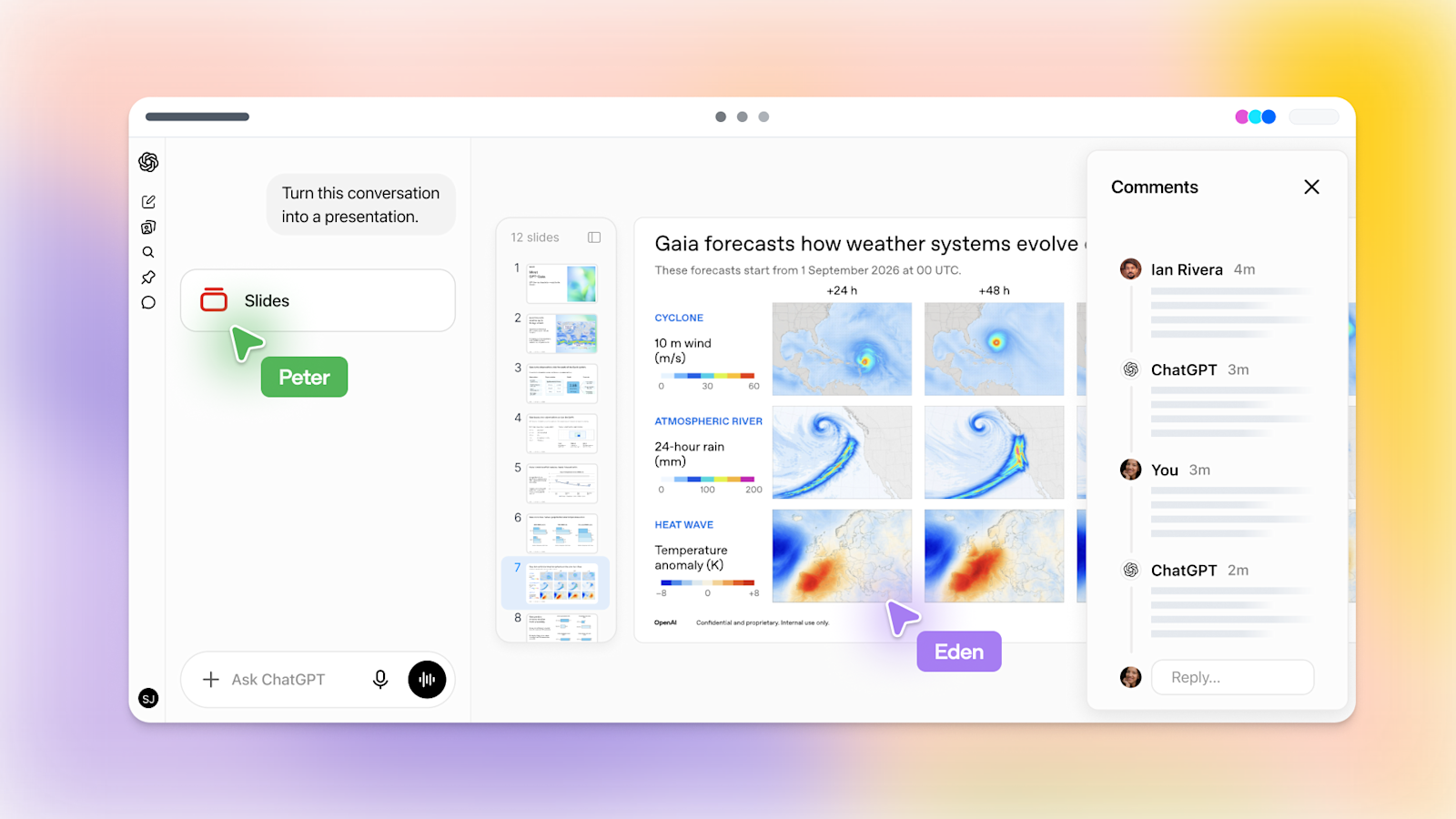
Starting Oct 16, OpenAI is rolling out ChatGPT Slides on web and desktop to Pro, Business and Enterprise users with Space access. Ask ChatGPT in Work to turn a conversation, files or an outline into an editable deck, or share an example deck to set the style; teammates co-edit in real time, leave shared comments and @mention ChatGPT for edits. The web app exports to PowerPoint, PDF and Google Slides, and the desktop app can open decks in PowerPoint or Keynote.
Key Takeaways
- ✓Rolling out from Oct 16 to 3 plans (Pro, Business, Enterprise) with Space access; Plus and Free are not in this wave
- ✓3 web export targets: PowerPoint (.pptx), PDF and Google Slides; desktop opens decks in PowerPoint or Keynote
- ✓Share an example deck to guide layout, build templates with template-creator and share them via team Plugins
- ✓Real-time co-editing and shared comments; @mention ChatGPT or your dot to have the agent edit. Help Center says comment-only access is not available at launch
- ✓On Windows without the MXC component (unsupported on Windows 10) local desktop editing falls back to .pptx files; no official quality benchmarks
Key Decision Metrics at a Glance
Turn your technical choice into a development budget
Compare 40 dev plans & simulate token costs vs $20/mo subscriptions
Project Links & Resources
Direct AccessIn-Depth Technical Analysis
Core Background & Industry Pain Points
Building slide decks is one of the most time-consuming office chores: drafting, layout, charts, then rounds of revisions from colleagues. ChatGPT for PowerPoint is already generally available and Claude has shipped Google Workspace slide support, so AI deck-building has become a must-have for big labs. OpenAI now puts Slides directly inside Space, ChatGPT's shared team workspace, instead of just handing you a file.
Architecture Highlights & Mechanism
Slides live in Space alongside Pages and files. Start by asking ChatGPT in Work to turn a conversation, attachments or an outline into a presentation, or pick Create > Slide in Space and begin from a blank slide or a template. Text, images, shapes, tables and charts are directly editable; select an element and choose Request edits to have ChatGPT change only that part. Teammates co-edit in real time, leave shared comments, and @mention ChatGPT or their dot to have the agent apply edits.
Benchmarks & Measured Results
OpenAI has not published any quality or speed benchmarks. Officially stated scope: the web app exports to PowerPoint, PDF and Google Slides. The product page mentions view, comment and edit permissions, but the Help Center says comment-only access is not available at launch.
Developer Quick Start
Pro, Business and Enterprise users with Space access can ask in Work: "Turn this conversation into a six-slide project update." For brand consistency, share an example deck or build a template with template-creator and include it in team Plugins. On Windows 10, local desktop editing falls back to .pptx files, so use the web or cloud mode for collaborative Slides. Always check numbers and layout after exporting.
Benchmark side-by-side against alternatives, or calculate monthly token cost vs subscription break-even.
Discussion & Comments
0Sign in to join the discussion
Connect with AI developers to exchange benchmark insights.