
AI Coding Live News

OpenAI rolls out ChatGPT Slides: real-time collaborative decks in Space, exportable to PowerPoint, PDF and Google Slides

Starting Oct 16, OpenAI is rolling out ChatGPT Slides on web and desktop to Pro, Business and Enterprise users with Space access. Ask ChatGPT in Work to turn a conversation, files or an outline into an editable deck, or share an example deck to set the style; teammates co-edit in real time, leave shared comments and @mention ChatGPT for edits. The web app exports to PowerPoint, PDF and Google Slides, and the desktop app can open decks in PowerPoint or Keynote.
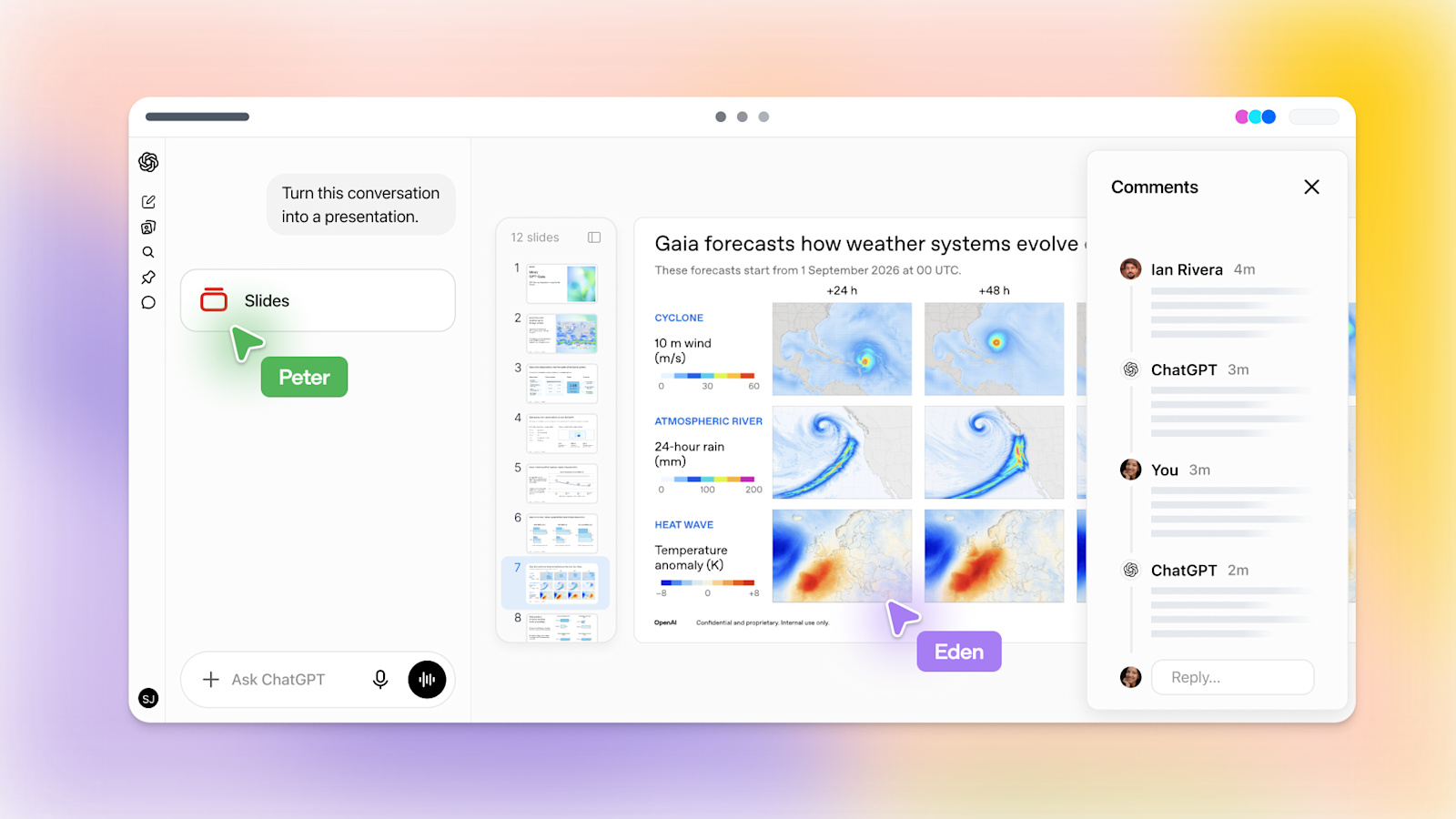
OpenAI rolls out ChatGPT Slides: real-time collaborative decks in Space, exportable to PowerPoint, PDF and Google Slides

Key Takeaways

  • Rolling out from Oct 16 to 3 plans (Pro, Business, Enterprise) with Space access; Plus and Free are not in this wave
  • 3 web export targets: PowerPoint (.pptx), PDF and Google Slides; desktop opens decks in PowerPoint or Keynote
  • Share an example deck to guide layout, build templates with template-creator and share them via team Plugins
  • Real-time co-editing and shared comments; @mention ChatGPT or your dot to have the agent edit. Help Center says comment-only access is not available at launch
  • On Windows without the MXC component (unsupported on Windows 10) local desktop editing falls back to .pptx files; no official quality benchmarks
Read full story

Grok Bot 0.68.1: slide decks to PowerPoint/Google Slides, formatted email from drafts, 1920×1200 Bot computer

Grok Bot v0.68.1 (Oct 7, official changelog): slide decks delivered as PowerPoint or Google Slides, formatted email from draft cards, Gmail Spam search, Bot-colored 1:1 chats, and a 1920×1200 Bot computer (up from 1280×800) with faster actions. No official speedup figures.

Grok Bot 0.68.1: slide decks to PowerPoint/Google Slides, formatted email from drafts, 1920×1200 Bot computer

Key Takeaways

  • Version: Grok Bot v0.68.1, released 2026-10-07 (official changelog)
  • Slides: sample slides to choose from, delivered as PowerPoint or Google Slides
  • Bot computer screen 1280×800 → 1920×1200 (~2.25× pixels); new windows skip a 5 s wait
  • Email: formatted send from draft cards; Gmail Spam search/restore; Gmail send waits out rate limits
  • Reliability: stuck steps stop within ~30 s, stuck pages abandoned after 25 s; no official speedup %
Read full story
Linked Models & Agents:

Microsoft 365 Copilot adds Grok models in Word, Excel, PowerPoint (Frontier program first)

Microsoft 365 announced more model choice in Copilot: Grok models from xAI (tweet text: SpaceXAI) are rolling out in Copilot inside Word, Excel, and PowerPoint, starting with a focused release to Microsoft Frontier program customers. Satya Nadella and Elon Musk later confirmed the Grok availability.

Key Takeaways

  • Copilot gains Grok model choice in Word, Excel, and PowerPoint.
  • Initial rollout targets Microsoft Frontier program customers.
  • Satya and Elon publicly confirmed Grok availability in Microsoft Copilot.
Read full story

Microsoft: frontier models power Copilot Autopilots; Project Opal runs multi-hour jobs on Windows 365

Microsoft CEO Satya Nadella says new frontier models are being brought into Copilot so it can move from Q&A and delegated tasks to completing long-running Autopilot jobs over hours or days. Example: an Opal-powered Autopilot on a secure Windows 365 Cloud PC processes a month of trail-cam footage, finding animals, building highlight reels, labeling camera/date/species, cataloging in a spreadsheet, drafting a PowerPoint, and sharing in Teams.

Key Takeaways

  • Capability: Copilot Autopilots own multi-hour/day end-to-end jobs, not just assistive Q&A.
  • Runtime: Project Opal Autopilot runs on secure Windows 365 Cloud PCs.
  • Demo: trail-cam pipeline covers find, reel, label, spreadsheet, PowerPoint, and Teams share.
Read full story
ADSponsored